This process is used for a catalogue product with a BBS product code or a BBS-only product (store product) to add a description or out of stock message override.
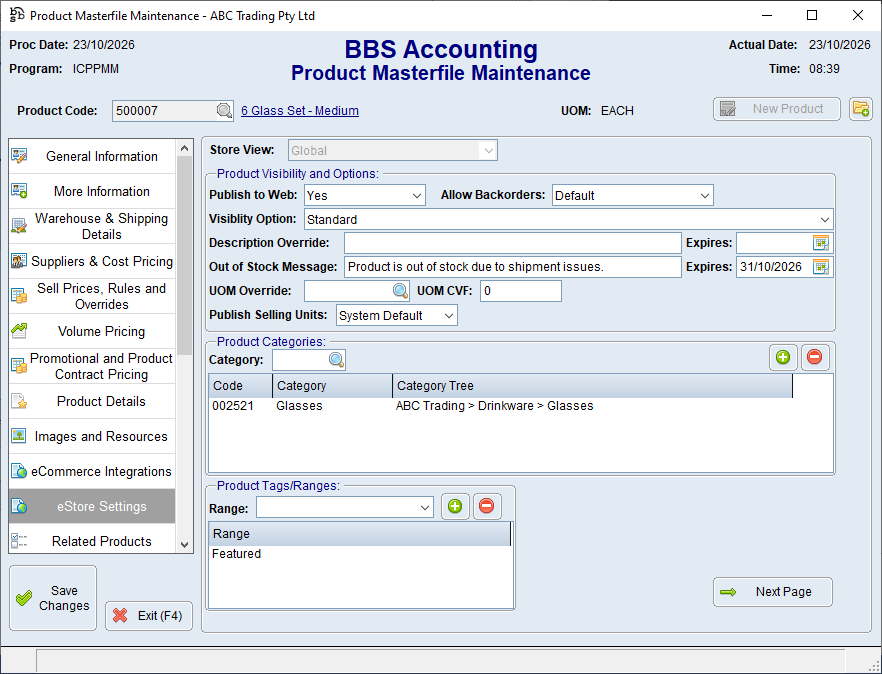
 Temporary description override
1.Open the product in Product Masterfile Maintenance. 2.Select the eStore Settings tab. 3.Enter the customer-facing text in the Description Override field. 4.Enter an Expiry date if the override should be removed automatically. 5.Save the product. |
Temporary out-of-stock message
1.On the same tab, enter the customer-facing text in Out of Stock Message. 2.Enter an Expires date if the message should be removed automatically. 3.Save the product.
Use the expiry date for temporary situations—for example, an expected return date. Review the product ifthe situation changes before the expiry date. |
