This process is used to maintain rich eStore product content for a catalogue product with a BBS product code or a BBS-only product (store product).
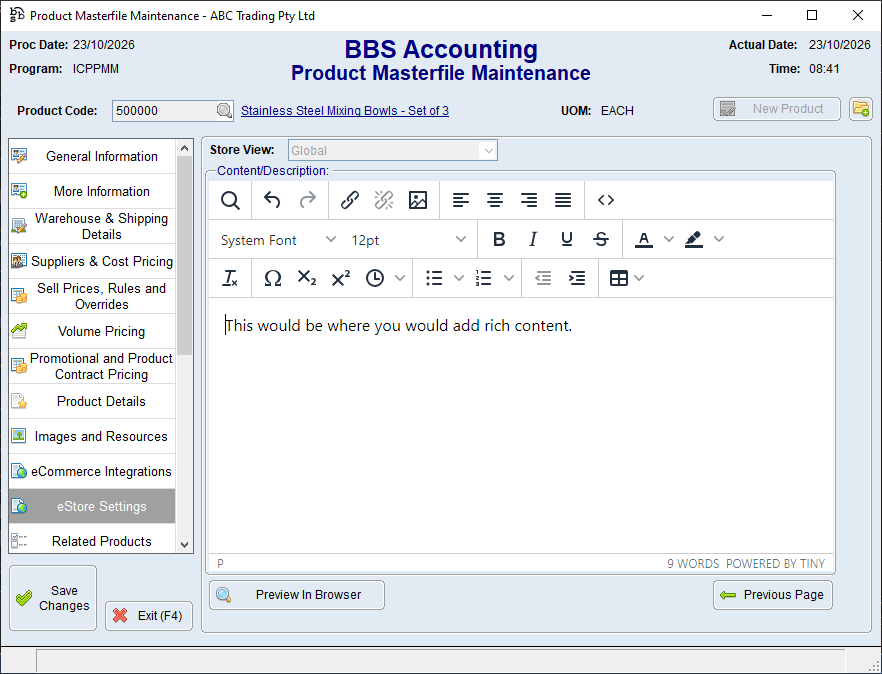

1.Open the product in Product Masterfile Maintenance. 2.Select eStore Settings. 3.Click Next Page twice to navigate to Page 3, Content/Description. 4.If applicable, select the required Store View. 5.Enter or edit the formatted product content in the editor. 6.Click Preview In Browser to review the content. 7.Return to BBS and correct any formatting or wording issues. 8.Save the product.
Keep formatting simple so that it remains consistent with the eStore theme. Product-specific content maintained here overrides or supplements the content supplied through normal product processing. |
