This process is used to register a new eStore web login for an existing BBS customer.
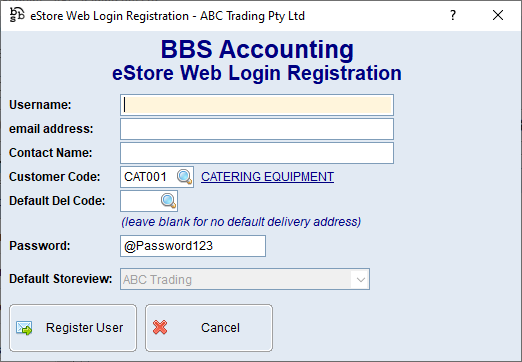

1.Open Global Customer Enquiry and select the customer. 2.Click Jump To (F8). 3.Select eStore Integration, then Register Web Login/User. 4.Enter a unique Username. 5.Enter the user's email address. 6.Enter the user's Contact Name. 7.Confirm the Customer Code. 8.If the login should default to a particular delivery address, enter the Default Del Code or click 9.Enter the initial Password. 10.If more than one Store View is available, select the required Default Storeview for the login. 11.Click Register User.
BBS creates the Web ID and registers the user with the eStore. The new login can then be maintained in eStore Web Login Maintenance. |
 to search. Leave it blank when the login should not have a default delivery address.
The username must be unique. BBS converts it to lower case and removes unsupported characters and spaces.
BBS validates the email address. If the email address is already used by another registered login, BBS displays the existing details and asks whether to continue.
Contact phone number is maintained in eStore Web Login Maintenance and is optional unless the business requires it.
Assigning a Default Delivery Code normally pins the login to that address unless Upload All Addresses is enabled in the login settings. |
