This process is used for a catalogue product with a BBS product code or a BBS-only product (store product) to hide a product from public browsing while retaining it in the eStore, or returns a hidden product to normal visibility. Note: For a catalogue-only product, please refer to Show or Hide a Catalogue-Only Product.
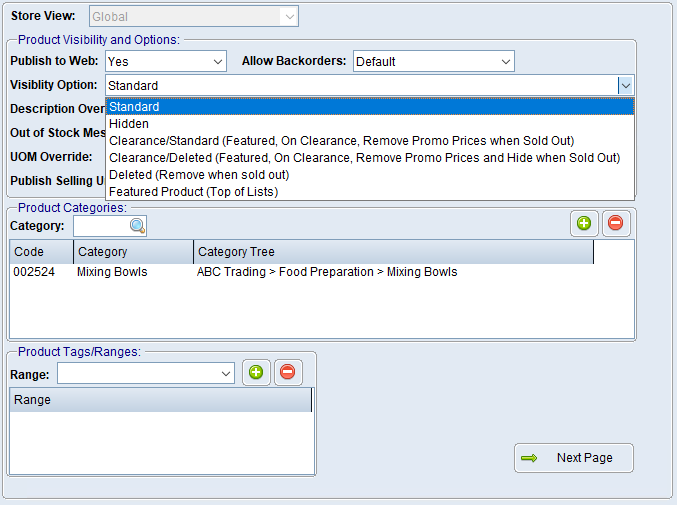
 Hide a product from public view
1.Navigate to Product Masterfile Maintenance. 2.Enter or look up the required product. 3.Select the eStore Settings tab. 4.Ensure Publish to Web is set to Yes, or to Automatic when it's a catalogue product with a BBS product code and is eligible under the catalogue rules. 5.Set Visibility Option to Hidden. 6.Save the product.
The product remains published to the eStore however is not publicly visible. It can subsequently be made available to selected customers using eStore Customer Product Visibility Maintenance. |
Return a hidden product to public view
1.Open the product in Product Masterfile Maintenance. 2.Select the eStore Settings tab. 3.Set Visibility Option to Standard. 4.Check the Publish to Web option and the product's eStore category. 5.Save the product. |
Hidden, controls public visibility; it does not mean “do not upload”. Use Publish to Web = No, when the product is not be published at all.
A product may still be unavailable due to catalogue rules, discontinuation, missing category mapping, zero-price handling or another eStore rule. |
